Stay safe at home and watch TV thru the new version of Smart STB:
– improved app stability with slower connection and frequent disconnections;
– upgraded app infrastructure across all regions;
– fix for multi subtitles bug on some LG Smart TV’s in some regions;
– temporary limited lifetime licenses to 1 portal to help with new app abuse, no portals will be lost and all 8 portals will be visible again in 2 days
– fixed interactive radio support on Samsung TV’s;
– freeze frame on channel start and during buffer is reduced on newer LG Smart TV’s;
– many small bug fixes;
Dear Service Providers,
We have released version 2 of our Provider API.
In version 2 you can now generate activation codes and get the needed information to activate them automatically in your own Portal.
There are some instructions here that can help you out: https://billing.smart-stb.net/knowledgebase/24/API-version-2-for-Providers.html
If you own an IPTV Portal and want to use the app with this this API, please go here to get a Corporate license: https://billing.smart-stb.net/cart.php?a=add&pid=20
Classic resellers will also get a new version of the API really soon – stay tuned for detals.
And everyone will get support for switching multi-audio and many subtitle languages both for Live TV and VOD in LG WebOS TV’s and few other good things are coming up as well.
Faithfully yours,
The Smart-STB team.
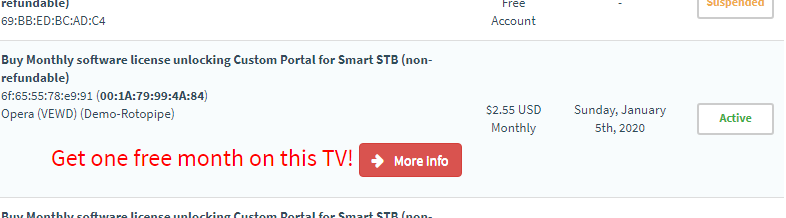
Let’s start this year with the new Yearly app license at a special price* and if you are with monthly license and upgrade your app – you can get one free month on top of that – just follow the on-screen instructions.

And we have great deals for all corporate clients – very soon in all regions! Stay tuned 🙂
*subject to availability and regional law, may not be available in all regions and not all TV’s are eligible.
Terms and conditions apply, see TOS at: https://stage.smart-stb.net/terms-of-service/
We are experiencing app slowness in most regions of South Africa due to network problems in the area.
We mitigated this as much as we could and we will continue working on improving our service in all regions as much as possible however it’s still possible that some regions of Africa experience app operating slowly.
Thank you for your patience and understanding.
We are excited to announce that our app can now be used on all Philips TV’s (models made in 2015 and newer) both on their Net TV platform and on the new Philips Android TV’s.
You can find the app in “Philips’ App Gallery” and “Philips TV Collection” (depending on the TV) in all regions across the globe.
App activation and Trial is like on all other Platforms, info at https://stage.smart-stb.net/knowledgebase/how-to-activate-the-app/
There are also lots of small bug fixes and some performance improvements across many regions for all other platforms. And lots more good stuff coming your way, really soon.
Edit: 20 November 2019, 12:30 CET time:
The Demo Portal is working and it is the latest version.
Dear users,
We will be doing some updates and maintenance to the Demo Portal in all regions on 20th of November, 2019.
This will not affect the work of your Custom Portals, only the Demo Portal will not work for few hours until the maintenance is over.
Also, clients using the beta (unpublished) TV platforms will need to exit the app and start it again when instructed by the app.
We will announce the new platforms with few surprises very soon.
Thank you for your understanding.
First – the good news. App is now back on all TV’s in all regions and platforms.
Due to an security and region updates of all LG TV’s , it is possible that your Software ID on your (older) WebOS (with OS version 1.0 up to version 2.4) will change after the update.
Newer WebOS TV’s are already secure and can be used right after the upgrade. Software ID and Virtual MAC will not change on next updates.
This was done to prevent the last license hack from working and make the app more stable.
Also, this is a step forward towards a new license management system that will allow your Virtual MAC to stay the same even if you change your TV (or this happens again) for whatever reason.
Please follow the instructions to change your licensed Software ID:
https://stage.smart-stb.net/knowledge-base/how-to-change-the-software-id/
Thank you for understanding.
How about that – we do listen to our clients. What’s the feature you want to have in the app on next version?
We have integrated multi-audio support for all supported* Samsung TV’s.
Now you can switch* the audio language of a channel or a movie using the Tools key (for older Orsay TV’s) or the TTX/MIX key (for newer Tizen Platform).
There will be subtitle support in the future, for the TV’s that support it (not all TV’s support subtitles due to platform limitations). For now a very limited number of TV’s have enabled subtitles for testing.
Possible only if provided content comes with multi-audio in the stream, might not work with all possible multi-audio sources due to platform limitations.