You can get trial license via our website following the steps below or via our application.
To get trial license for the app you need to start the app for the first time and then accept our Terms of Service.
More infomation about how to get trial license via app: https://stage.smart-stb.net/knowledge-base/how-to-activate-the-app/
You can get 1 trial from our application (when it’s first started) and up to 2 more trials from our website 7 days after the last trial.
If you get trial period from the app and license expire you can get trial from our website without waiting 7-days. Please check the steps below.
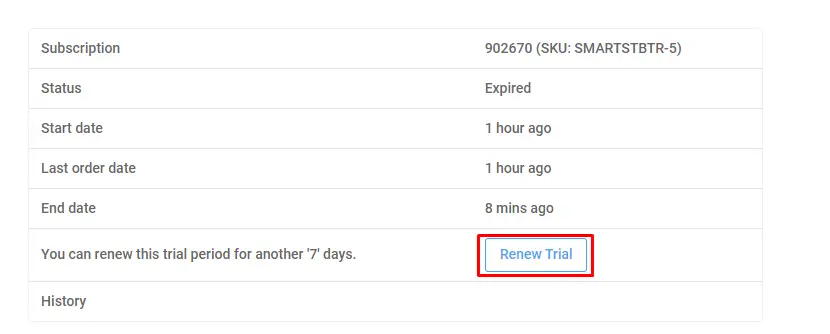
If you get trial period from website you need to wait 7-days to be able to get new 7-day trial. Please check the steps for how to reactivate trial.
How to get trial license
You need to go to our site and locate SMART-STB and click it. Then you need to select SMART STB Activation and Trial.
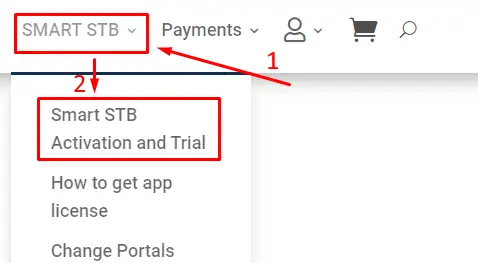
When you choose SMART STB Activation you will see this picture:
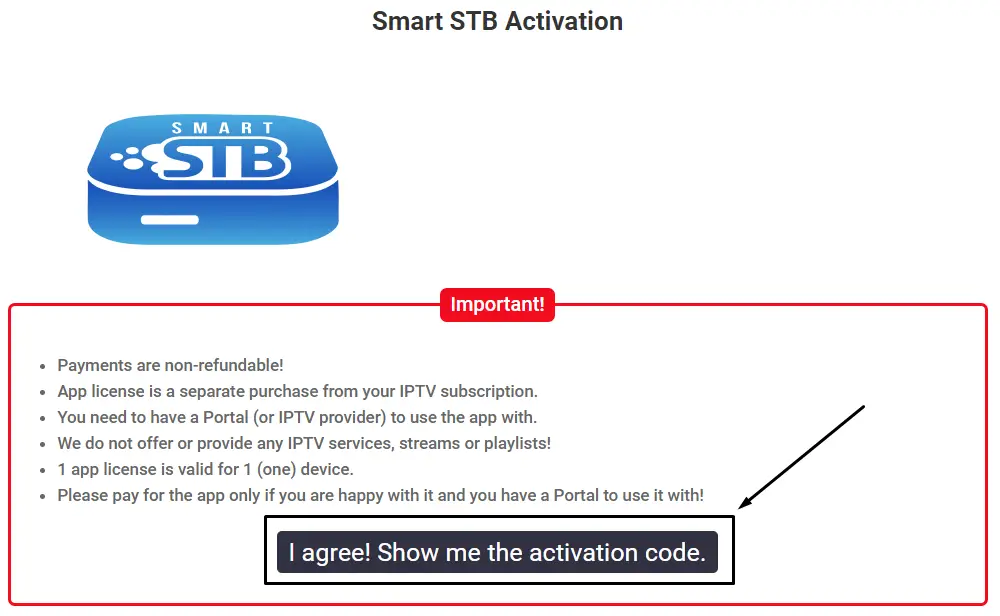
Please read the message which was marked with the red rectangle and if you agree with it click on button “I aggree! Show me the activation code.”. After pressed the button, the field with the 10 digit activation code and field in which you can enter your software ID will be showed. We have marked the button with black rectangular (see the picture abowe). When you click on this button you will see this page:
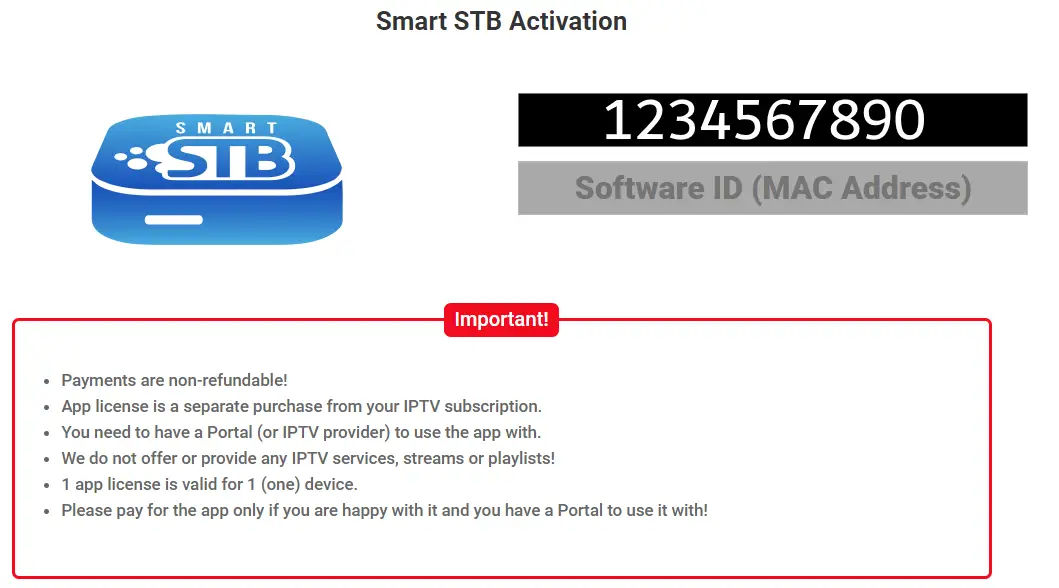
Picture above is an example.
When you see this picture, you need to enter activation code in the app on your device
-or-
you need to enter Software ID in our site.
You can activate via activation code –or– via software ID.
Use this method that is easier for you.
Please note that you can find your Software ID in “Device Info” menu, choose portal menu or in demo portal.
Pictures below are an example and not a real device.
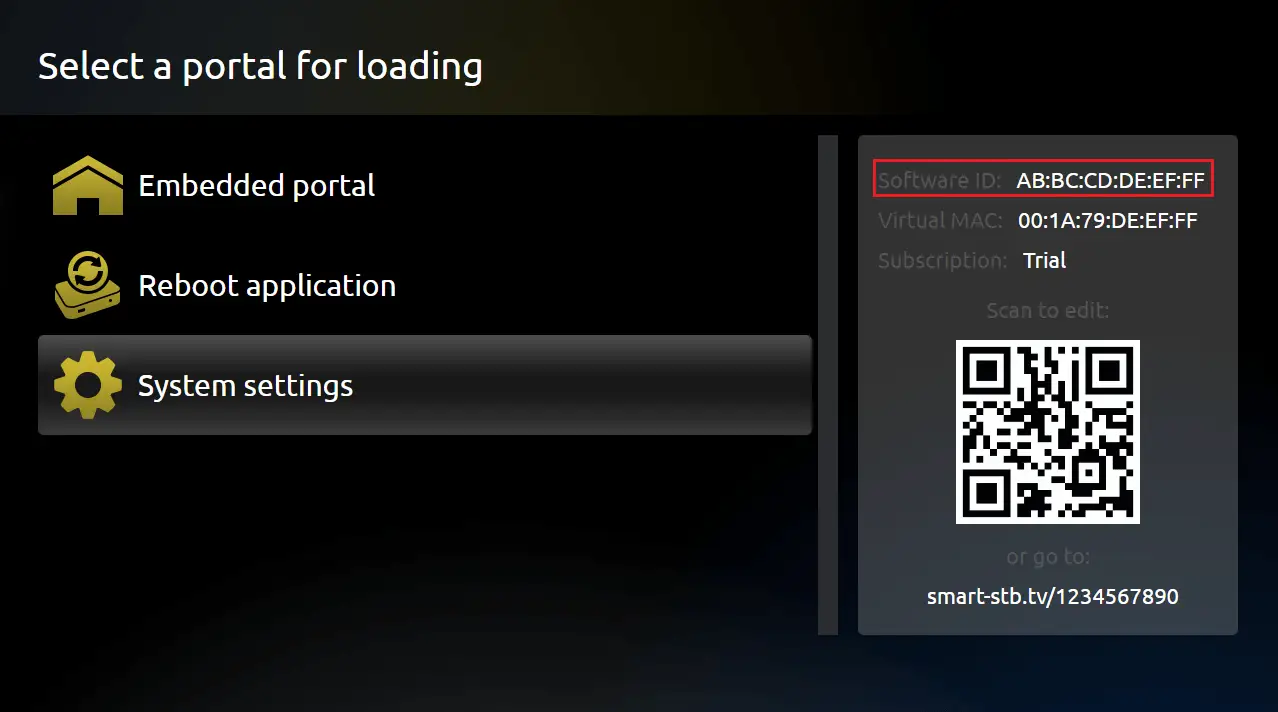
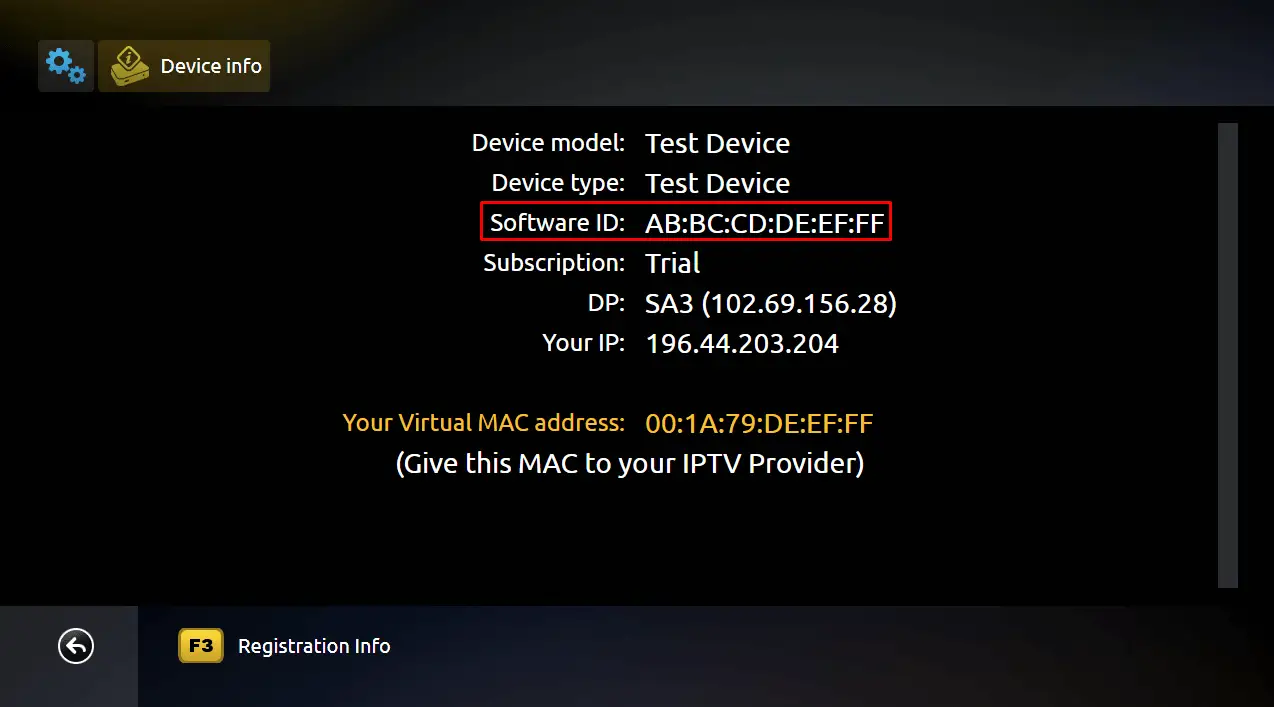
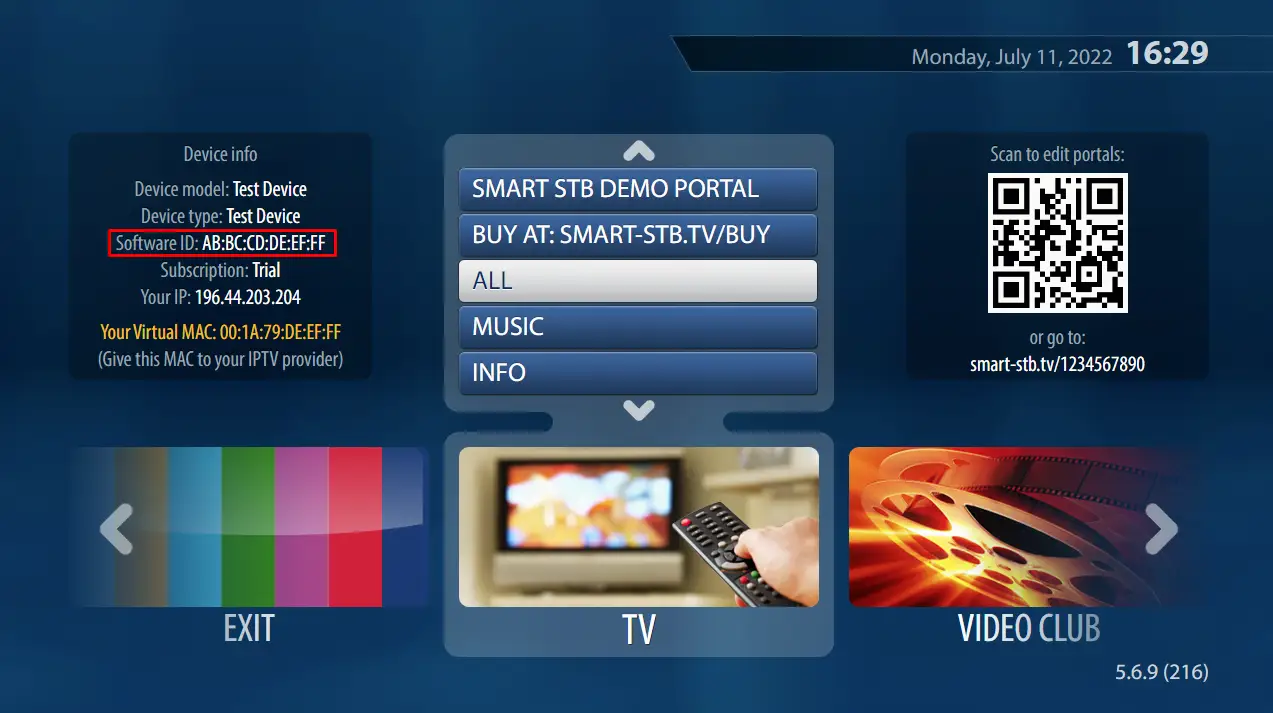
When you entered a valid activation code in app on your device or software ID in our site you will see something like this on our website:
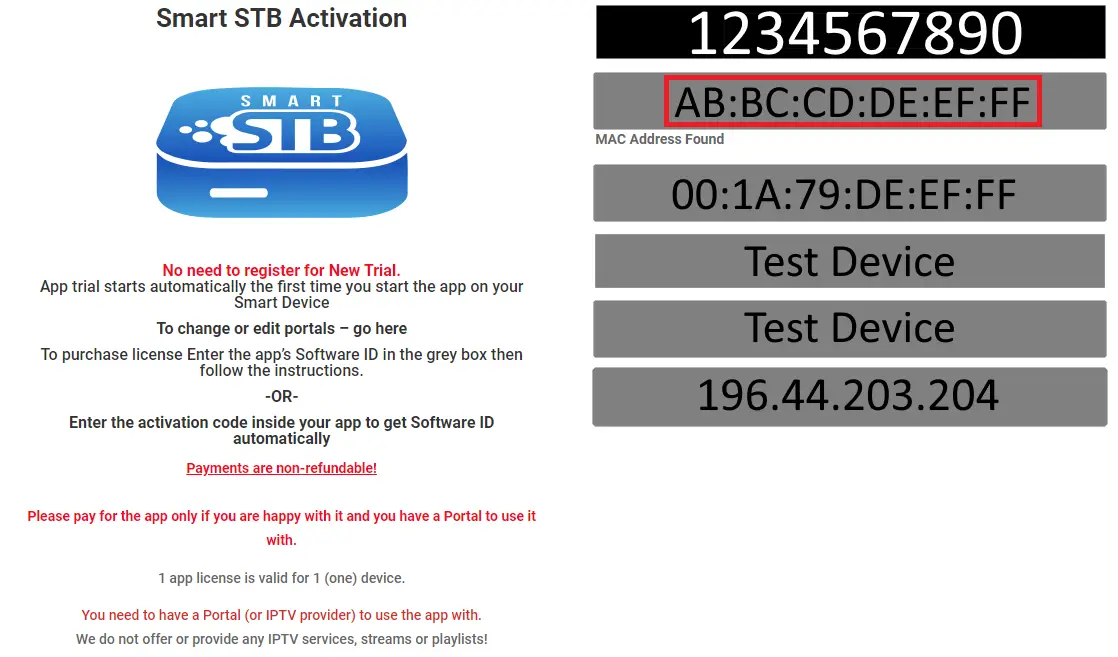
Pictures above are an example, and device is not real.
When you see picture like above, then you need to follow the steps to get trial license.
Step 1: Choose which license you want and choose “Yes” at the bottom of the page and then choose “Sign up now”.
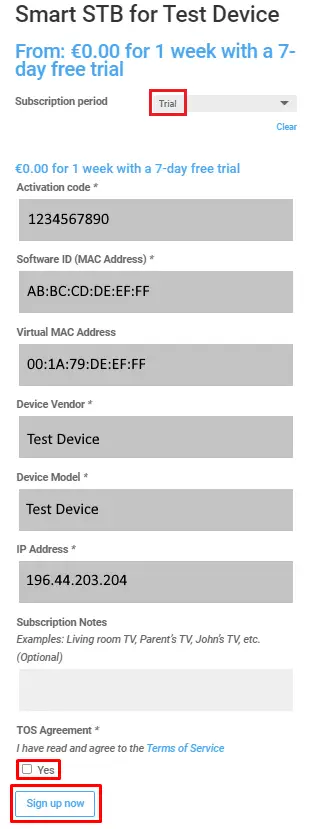
Picture above is an example, and not a real device.
Step 2: Take a look at your data – software ID, virtual MAC, etc. and be sure that all data is right. Then choose “Sign up now”.
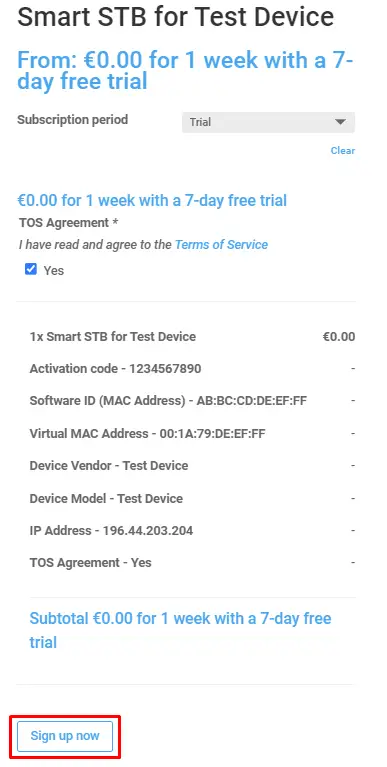
Picture above is an example, and not a real device.
Step 3: Choose “I have read and agree to the website terms and conditions” and choose “Sign up now”
Pictures below are an example, and not a real device.
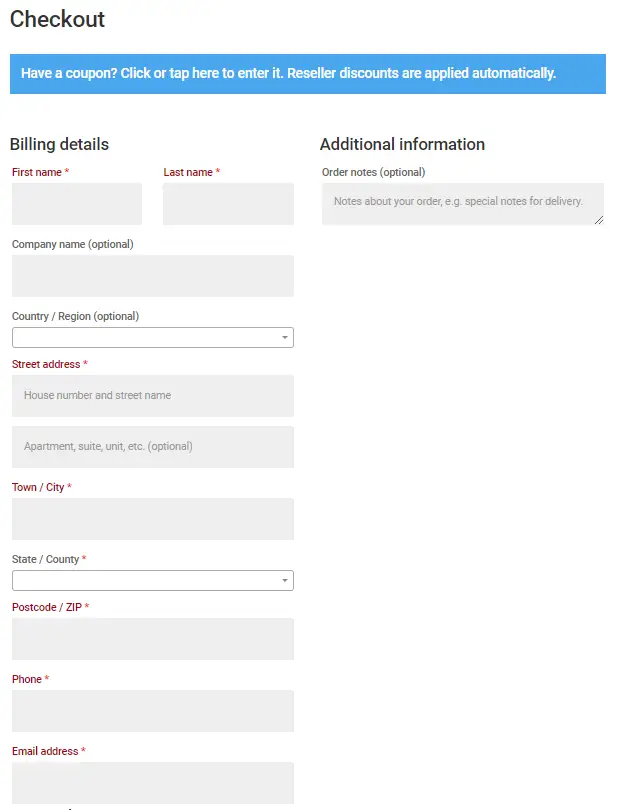
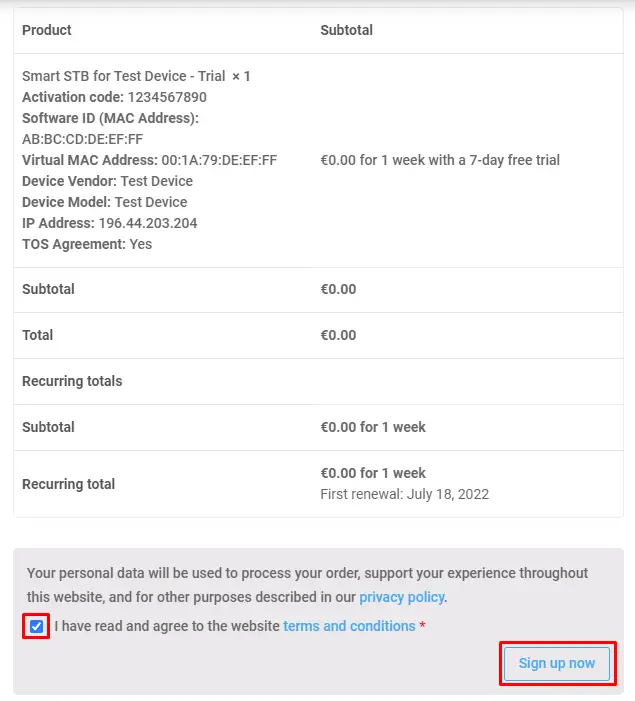
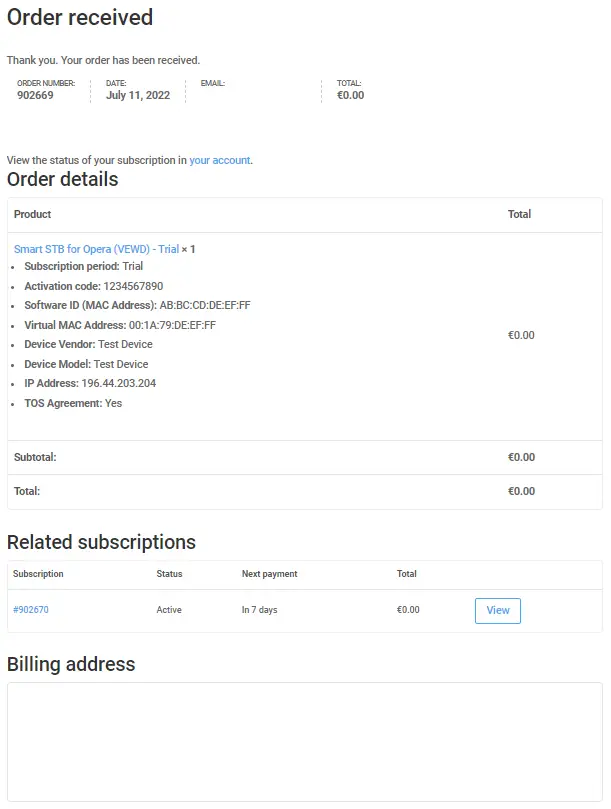
Step 4: When you see this picture you complete your order and get trial license.
Picture below is an example, and not a real device.
How to reactivate trial license
When trial license expires and you want to get new 7-day trial, please follow the instructions.
When your license is expired, please go to our website and log in (click on user icon).
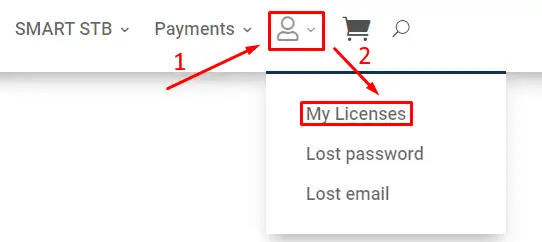
Then locate and choose “My licenses” and choose trial license.
Picture below is an example, and not a real device.
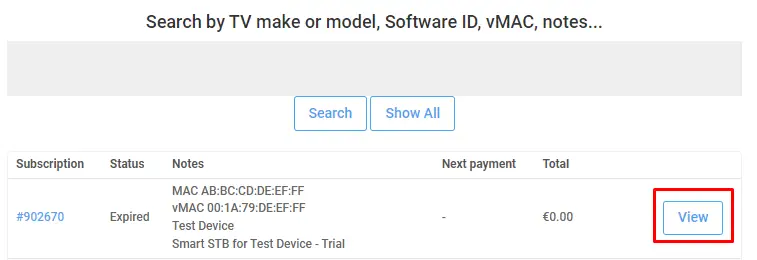
Please choose your trial license and click “Renew trial” button.
Picture below is an example, and not a real device.